



New employee onboarding #Elements Copy & Sync

Use case benefits
Simplify the work of HR teams using Jira Work Management

Generate multiple issues dynamically and efficiently
Each employee onboarding is slightly different, but based on a common process. With the dynamic multiple issue option, you can create a custom number of issues based on a field like components, labels, or a select list. You’ll have the right balance between standardization and customization without a cumbersome process.

Customize the content of each issue
Key information is already in the source issue, but copying and pasting to each new issue is long and error-prone. No-code field mappings let you customize how fields are populated in the new issues and level up your efficiency. Use information in the source issue, like a date, component, or custom field to customize the content of each issue.

Gain visibility on tasks with the timeline view
Get at-a-glance visibility on deadlines for onboarding tasks with the timeline view of Jira Work Management. Elements Copy & Sync can even automatically calculate a due date based on an initial date in the source issue, so you can focus on getting the work done.
Each employee onboarding is slightly different, but based on a common process. With the dynamic multiple issue option, you can create a custom number of issues based on a field like components, labels, or a select list. You’ll have the right balance between standardization and customization without a cumbersome process.
Key information is already in the source issue, but copying and pasting to each new issue is long and error-prone. No-code field mappings let you customize how fields are populated in the new issues and level up your efficiency. Use information in the source issue, like a date, component, or custom field to customize the content of each issue.
Get at-a-glance visibility on deadlines for onboarding tasks with the timeline view of Jira Work Management. Elements Copy & Sync can even automatically calculate a due date based on an initial date in the source issue, so you can focus on getting the work done.


Tutorial
Create issues dynamically based on the component field
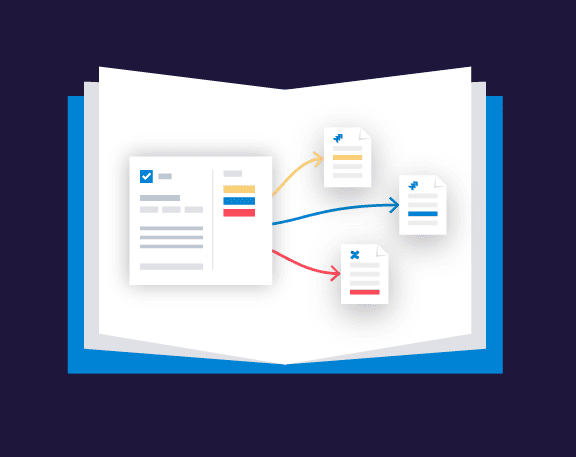
With Elements Copy & Sync, you can define dynamic recipes which lets you create several Jira issues. The number of issues created is completely dynamic, and based on values from the source issue such as: labels, components, user pickers, checkboxes, group pickers, select lists, or version pickers.

Have questions about creating multiple issues at once?
FAQ
Can I create multiple subtasks in Jira at once?
Yes, you can create multiple subtasks by using the subtask recipe type. Learn more about subtask recipes on the documentation, or watch this video to see how they are configured.
Can I create different types of issues? For example 1 task, 1 story, and 1 bug?
You can set up a template of multiple issues to create, with different issue types selected, but the number of issues to create is static, as opposed to dynamic issue creation. To learn more, read this tutorial: Create multiple issues based on a template
Can I add a link between the “parent” issue and the new issues created?
Yes, you can configure the link you’d like between the source issue and the new issues created in the target section. Learn more about the monitoring options here.
I want to create multiple issues only if a checkbox custom field is checked. Is that possible?
Yes, you can either set precise JQL for the source issues that can trigger the recipe, or trigger the recipe with Automation, depending on your team’s processes. Learn more about setting criteria for your source issues here.
More use cases
One app, 100+ use-cases
Discover more ways your team can use Elements Copy & Sync to standardize your processes.